Through the Looking Glass of XR Design Engineering
The start of an experiment in prototyping execution by Sid Naik and Morgan Blair
Real quick, what does the prototype do again?
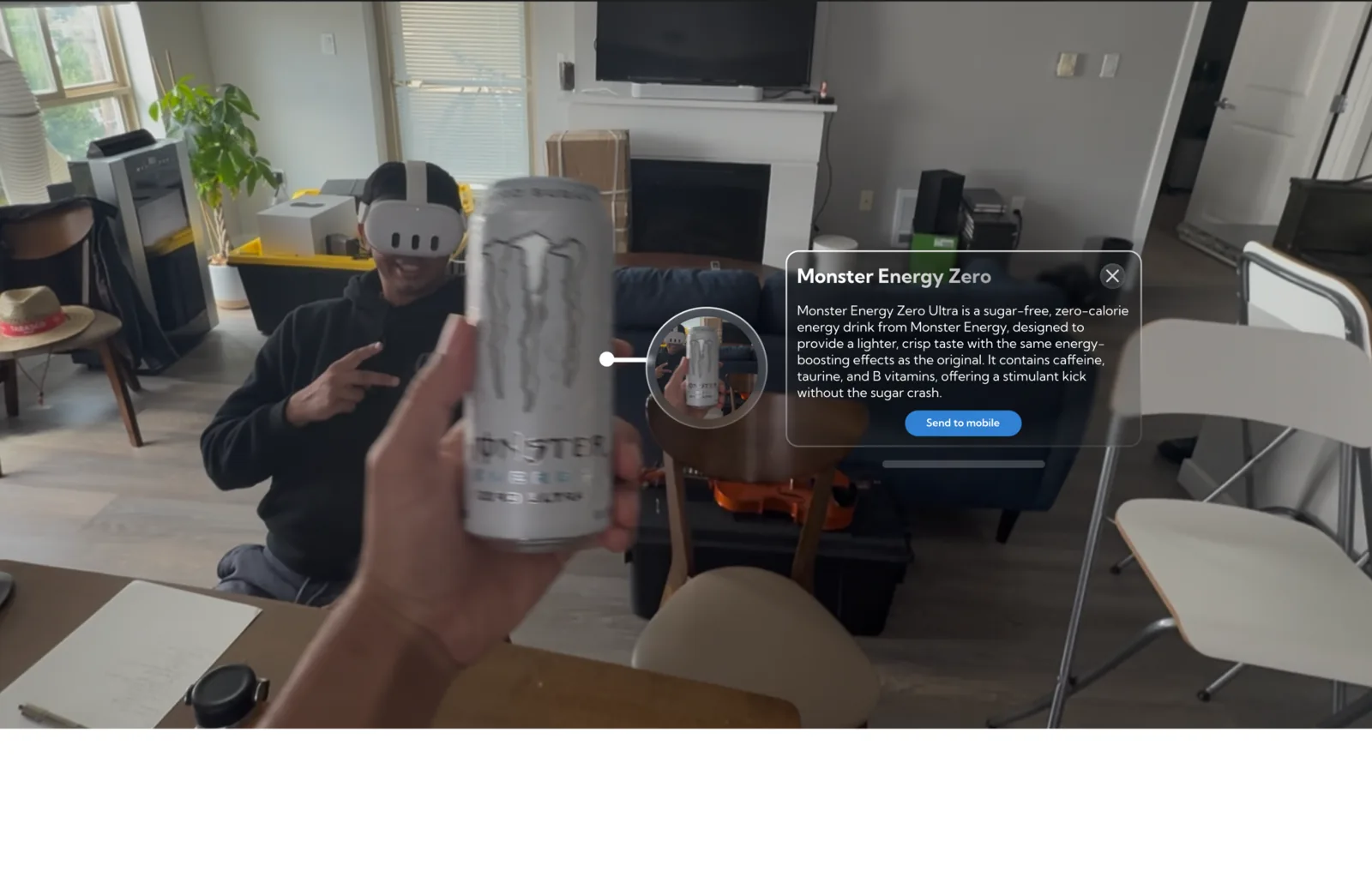
User can ask about any object and receive specific information by asking “What is it?”
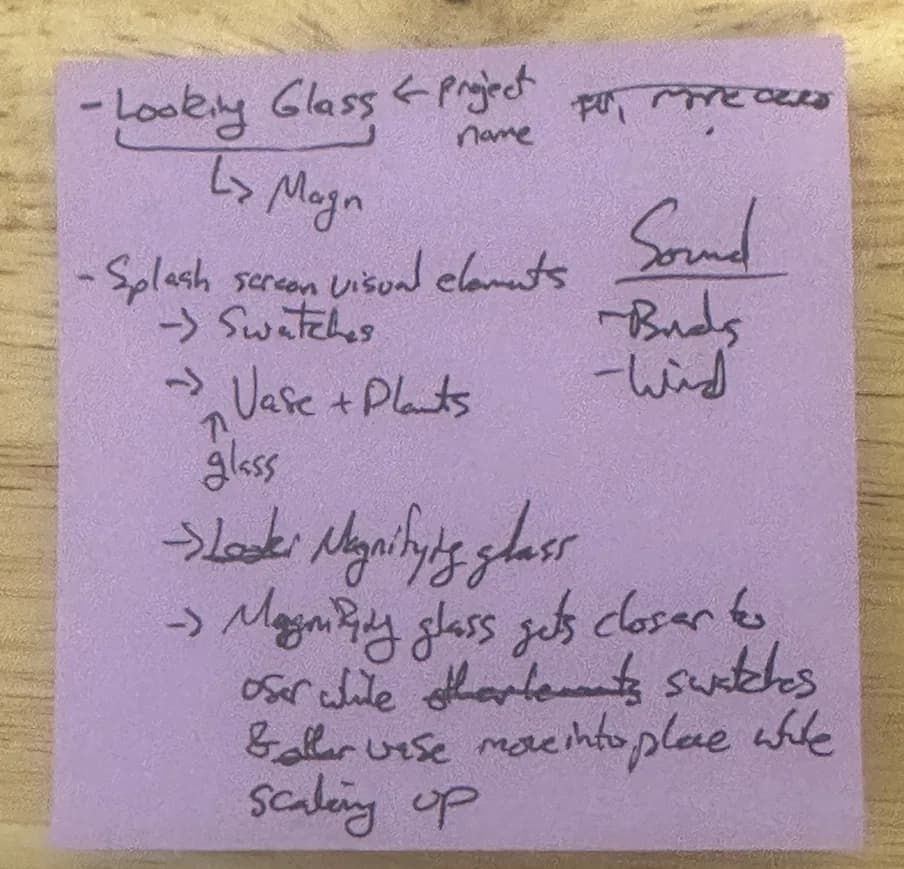
Hand-painted + AI watercolor splash screen
Overview
Starting The Experiment: Prototyping Execution
While AI is a useful tool, it isn't the end of Design or Engineering. Here’s our goals for this experiment series:
I want to double down on my move toward Product Design by honing my design skills further.
Morgan wants to resume his programming training to be able to bring his designs into reality.
Without a thoughtful design process, teams need more iteration time but deadlines often get in the way. Without a thoughtful engineering process, designers are forced to choose only the lowest hanging fruit as difficult design work requires iteration and testing. Each of these is a recipe for disaster!
We decided our first step on this journey is to look within ourselves and write out a thoughtful design and engineering process to use as the backbone of our experiment. To do this we first needed a project that we thought we could do within a week and had some requirements:
Sid: High fidelity, try out a hand-painted water color visual style, make clean base project for future experiments, do something that feels like magic, no sound
Morgan: Programming work that's challenging, learning git process (yes, we branch using prototype/feature/bugfix prefixes and use PR's to merge. I'm anal but good practice is the only practice.), doing something with object identification, finish in one week
After throwing the ball back and forth a bit, we landed on Object Identification But Make it Bonita. We would use voice input, LLM requests, and design it to appear as if it could be in a commercial app.
Design and Engineering Process
As we were talking, we realized we have pretty much the same overarching prototyping process. Between the two of us we've used this same process for prototypes, features and entire systems across web, games, and AR/VR. The devil’s in the details, though. Under each step I’m including our experience during the dev process for this prototype. Here’s our process:
Describe problem in detail
Our “problem” was that we wanted to create a complete prototyping process, that lets us individually build high fidelity prototypes very quickly. We chose a simple project because the technical ramp up is significant (for a week’s time):
Getting myself ramped up on Meta SDKs, and the handpainted pipeline creation work I wanted too was a good amount of work.
Getting Morgan used to an engineer’s git process while writing a feature.
Documentation, ironing out small wrinkles in working together.
Create potential solutions
Sketch - we both prefer paper/whiteboard at this stage. XR Design communication here is extremely fast because we’re both artists.
Feasibility & Viability debates — back and forth between design and technical to get the most given our constraints
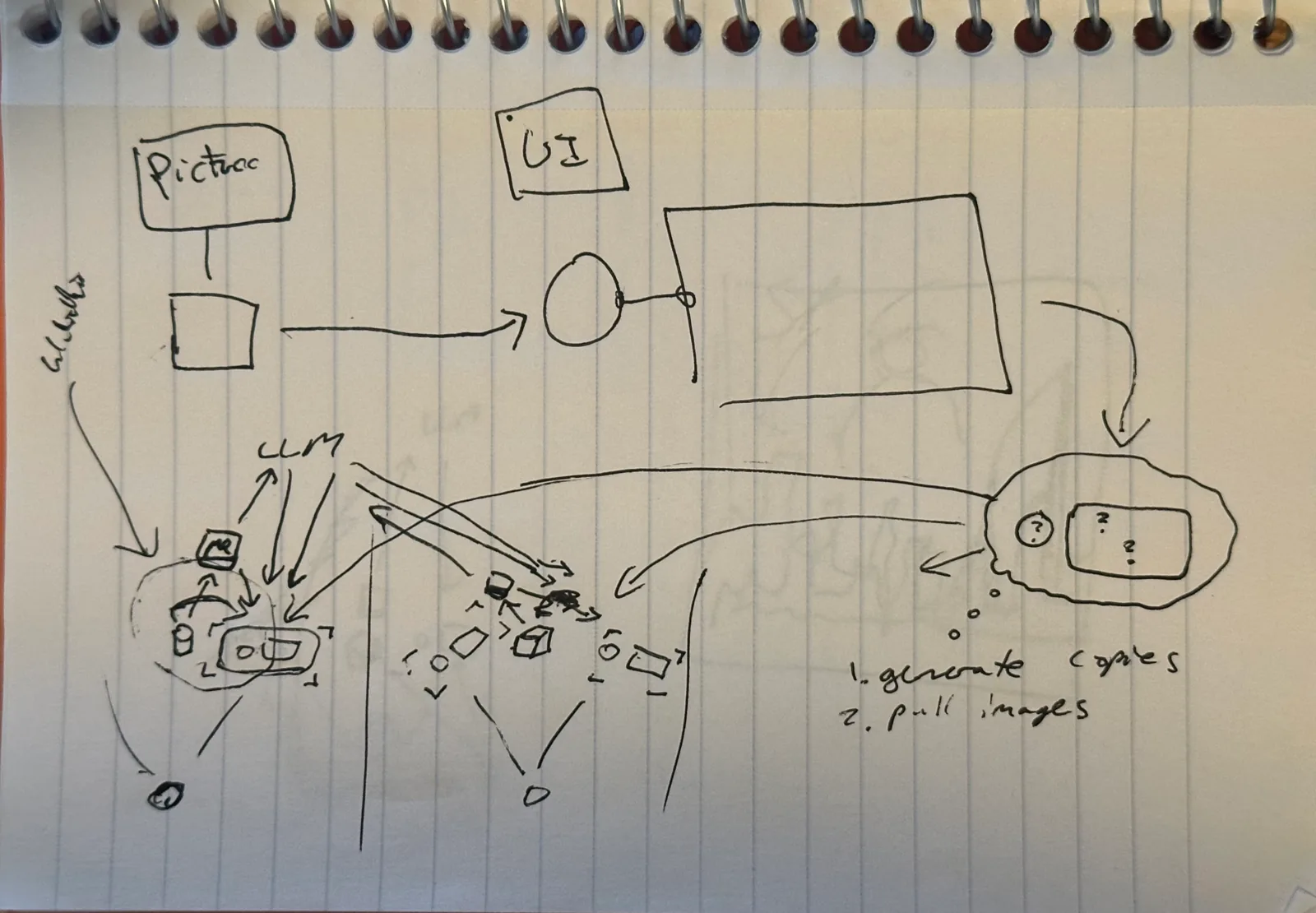
Storyboard: A design and technical conversation
This drawing is a back-and-forth between myself and Morgan, on how *exactly* the feature works (Main objects, functionality, functional flow, user flow). I see this part of the process as a dialectic that ends when we both understand what we’re building, minus edge cases.
This is our Source of Truth. To both of us, this is the most critical part of the Design Engineer process.
First pass: Interaction, Visual, Motion, Concept
Figma pass: Slice of the experience to help us create and list UI Elements.
Break down into actionable tasks: technical, design, logistical + time estimation
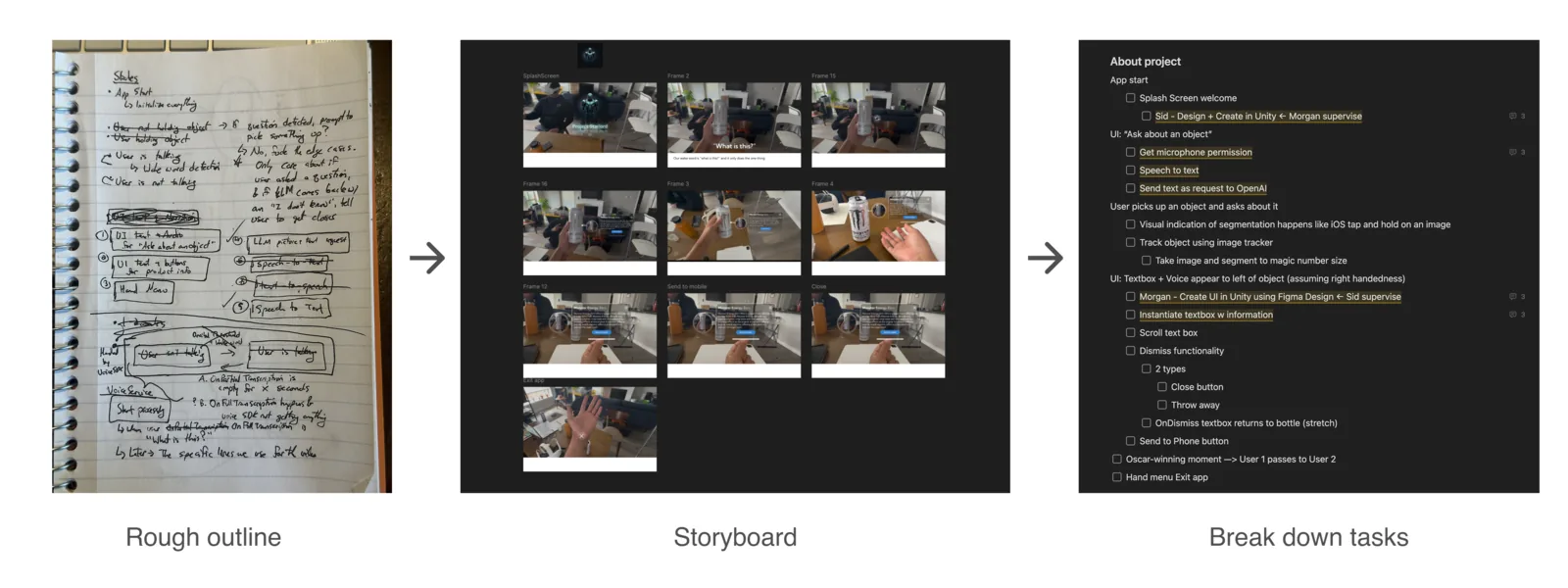
Implement & Test
Plan first implementation: Simple enough work, we ripped through the implementation while keeping to good git practices as much as possible. My goal was to get Morgan used to git by the end of the week which he most definitely is!
Always test on device
Iterate
We did not spent time on much iteration for this project, only enough to help us define process.
Polish
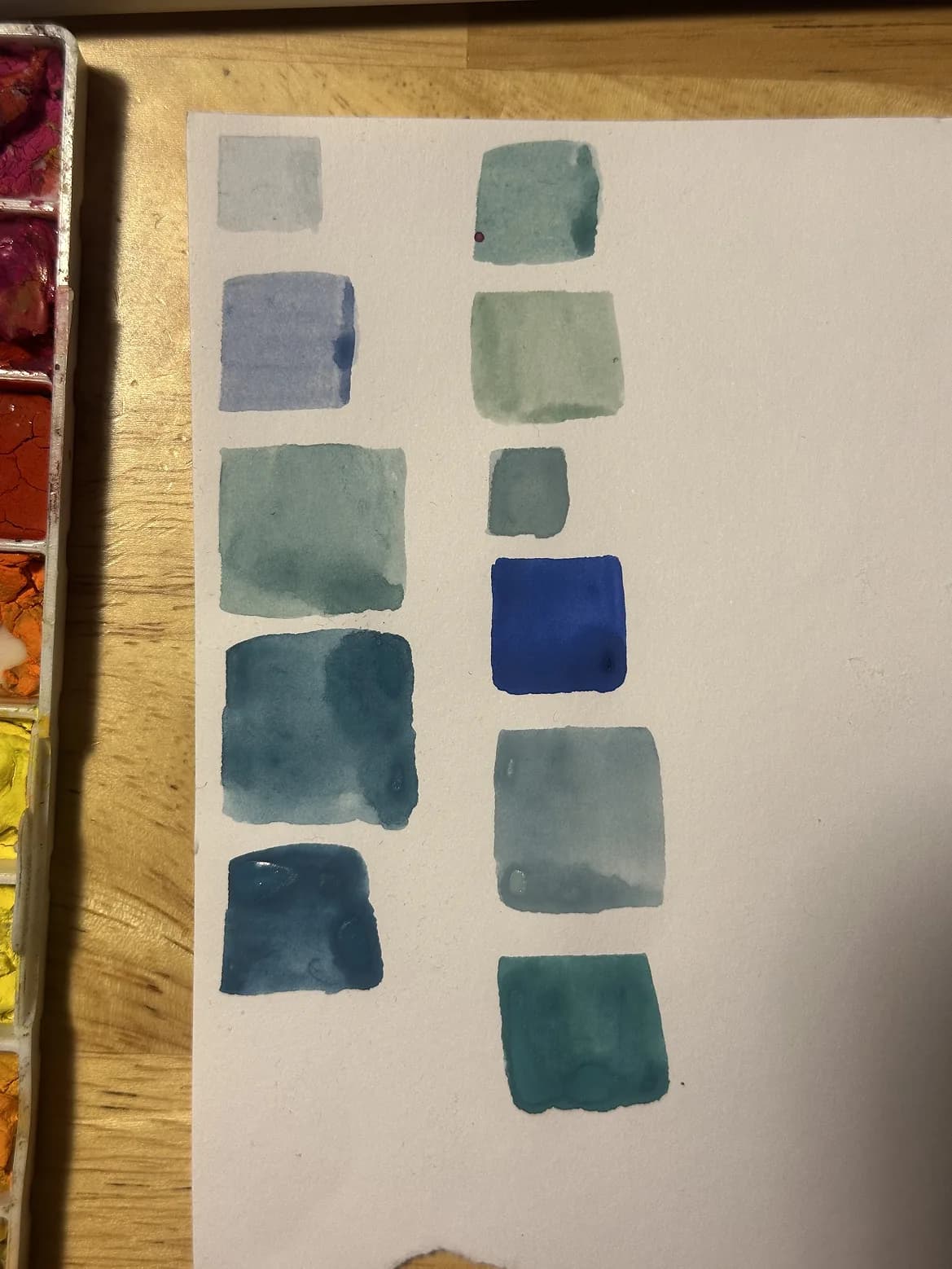
This is when I made the splash screen, I wanted to try out a handpainted watercolor pipeline. Had a drink and worked ~9pm - 3am type session. The polish pass is really just steps 1-7 again but faster and more directed. Yes the magnifying glass is barely related to a looking glass but a looking glass made no sense for the splash visual anyway. It makes more sense the less you think about it.
 ▶ Watch on Substack
Side Notes
1. AI in Prototyping
We used AI in 3 parts of our dev pipeline:
Morgan’s code: Asking and understanding, explanation of code, writing code
My code: Translation layer, generally telling claude to write functions I’ve figured out
It’s like..spellcasting. I truly, truly could not care less to write code when I rigorously understand what I’m about to write. I tell the computer exactly what to write if it’ll take me less time to tell the computer rather than write it myself.
In another project I’m working on, AI is allowing me to ramp up to both TypeScript and React which I’ve never used before while maintaining ~60-70% speed of what I can do in Unity! ABSURD. I expect new tool ramp-up to be super fast from now on across fields (programming languages, DCC’s like Blender, 2d stuff like Figma, etc).
Splash screen: AI Generated plant + magnifying glass
I was figuring out a pipeline, not pushing out a commercial product/installation so using the plant and magnifying glass let me get to the end of the prototype muuuuch faster than alternatives without sacrificing visual development.
Pipeline questions I had on the hand-painting side:
If/how could I process the Swatches as they dry
Get the brush-stroke-by-brush-stroke animation style I wanted on the background
Side Note: AI is *not* the same as domain expertise but is beyond useful. I can write the exact code I want just by describing it, while still using AI as a ramp-up tool on tech stacks I’m familiar with. I can do viz dev for a style, focusing only on the parts I don’t yet know how to implement. I believe in-the-trench experience matters even more now to be competitive.
2. The “Looking Glass” motif
The commercial design, eng, social, and organizational constraints we face in creative development make for a constant juxtaposition of order and chaos. I really wanted to write some of this article in the Lewis Carroll style, but accessibility is more important to me. In case you’re interested here’s my attempt at a storybook style:
“It’s rather obtuse, the path from Idea-Gardens to the Prototype-Palaces of the world,” sang the Dengineer briskly as she hobbled along her husband.
Alice frowned, “The path? There is no path, that Palace is floating in the sky!”
“They all float in the sky, isn’t it marvelous! At once you must plan and build, again and again, until you reach the destination. This is a rather low-flying one in-fact, and they say some exist at the edge of the heavans.” romanticized the Engisigner.
Alice clearly beginning to understand, “This is lunacy.”
“This is the Process”, remarked the Dengineer.
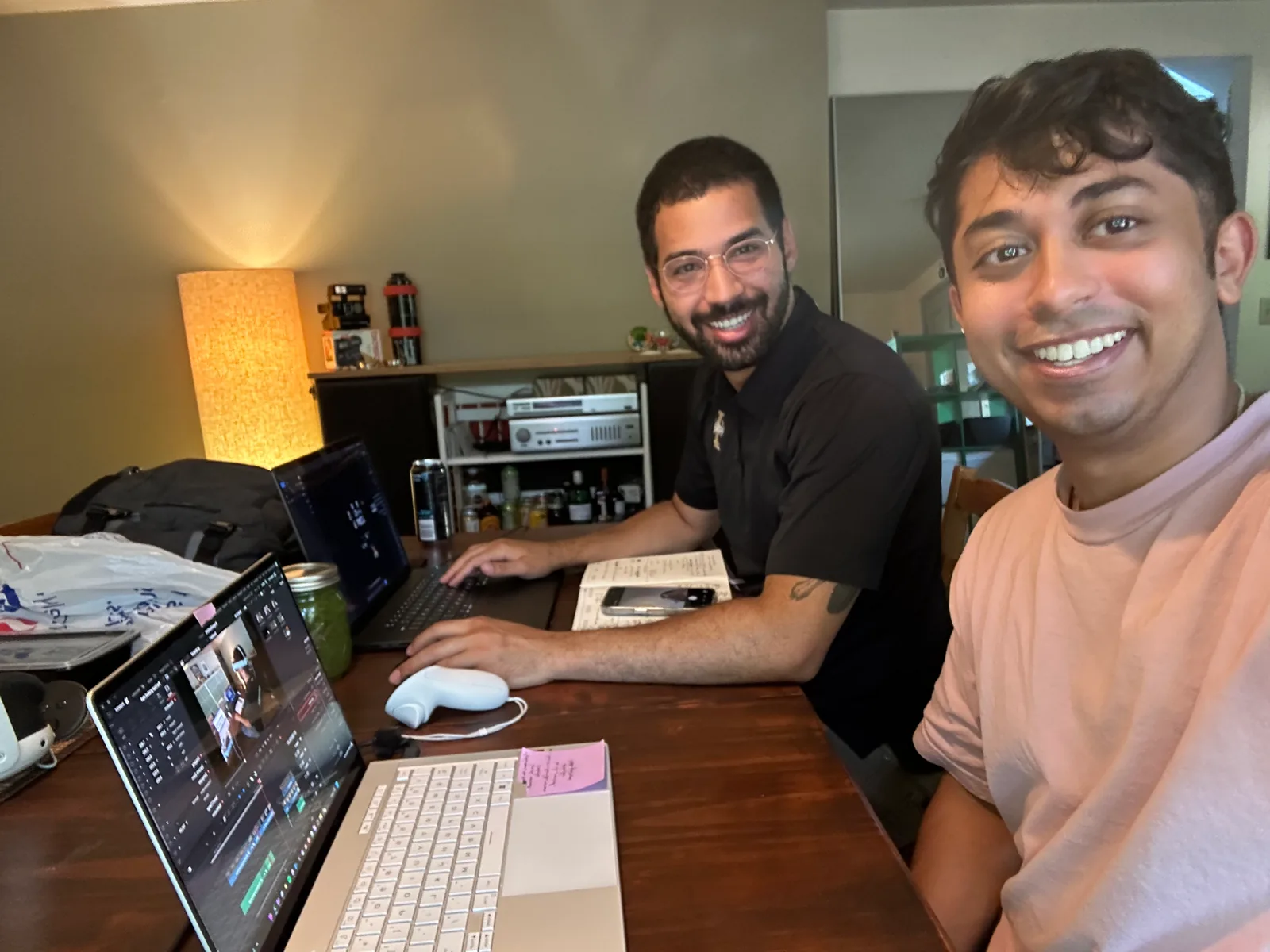
Thanks for reading and have a nice day!
Sid Vicious and the Morgin8r
Why am I writing this?
I’m writing to provide what I wish I had while learning — real thought process on design and engineering, opinions on tradeoffs, and acknowledging how often I’m wrong.
I believe everyone can learn anything, and the more breadth you get the more you’re able to solve problems. Depth is easy to access (still challenging to gain) today, Youtube University is available to almost everyone. I hope to convince you over time, not just with this post. If you leave here clicking only one link, learn basic design thinking. If you’re an engineer I encourage you to learn fine art. If you’re an artist, I encourage you to believe you can learn to structure logic (programming) and describe the world objectively (math), and then go for it. Find joy and beauty in all of this. If you look for it, you will find it.
If you’d like to check out more of my work, visit my website at https://sidnaik.io/ or any of my socials @SidsCreativeTech :)
Originally published on Substack.